
SENDIYAGI / WINDOWS + LINUX
Files and folders,straight fromPC to PC.
Transfers go directly between computers — no middle server, no sign-up, no size cap from a provider.
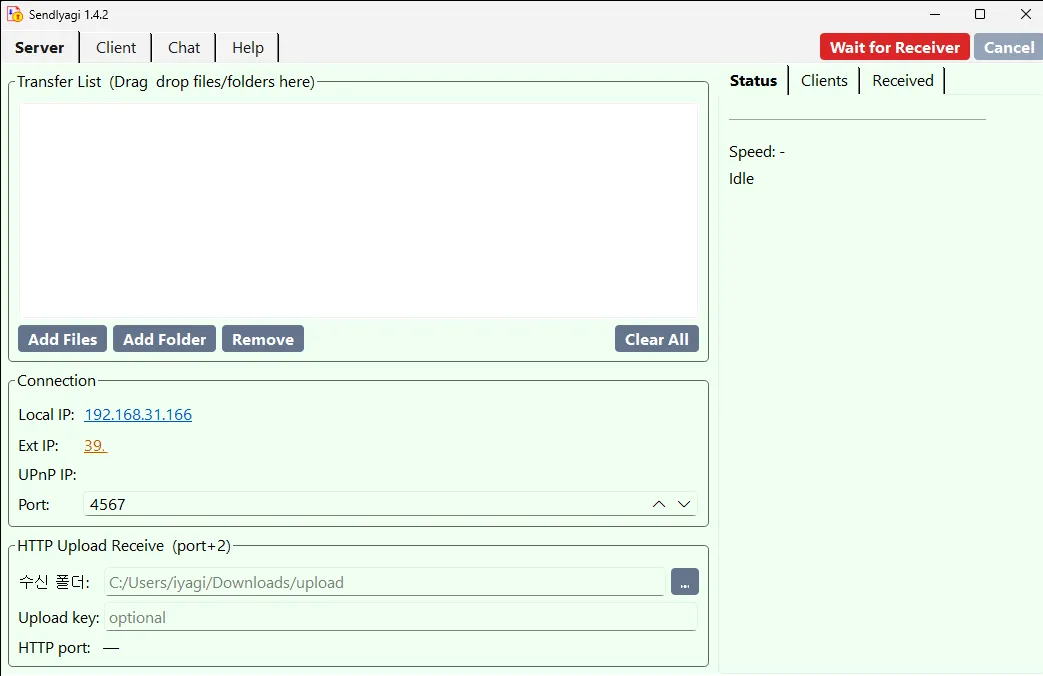
Key features
Direct P2P
No relay server
Whole folders
Drop a folder, keep its structure
Auto discovery
PCs on your network show up
Browser upload
Others only need a web browser
Chat while sending
Up to 20 people, text and images
No need to upload to the cloud first.
Dropped connections are retried, and HTTP uploads resume where they stopped.
Real screenshots
SendIyagi · Download
Get the file for your system from the official channel.
Packages: .deb (Ubuntu, Debian), .rpm (Fedora), .pkg.tar.zst (Arch), AppImage and zip. The download page explains which one fits your system. All installers