
CLIPIYAGI / WINDOWS + LINUX
Never loseanything youcopied again.
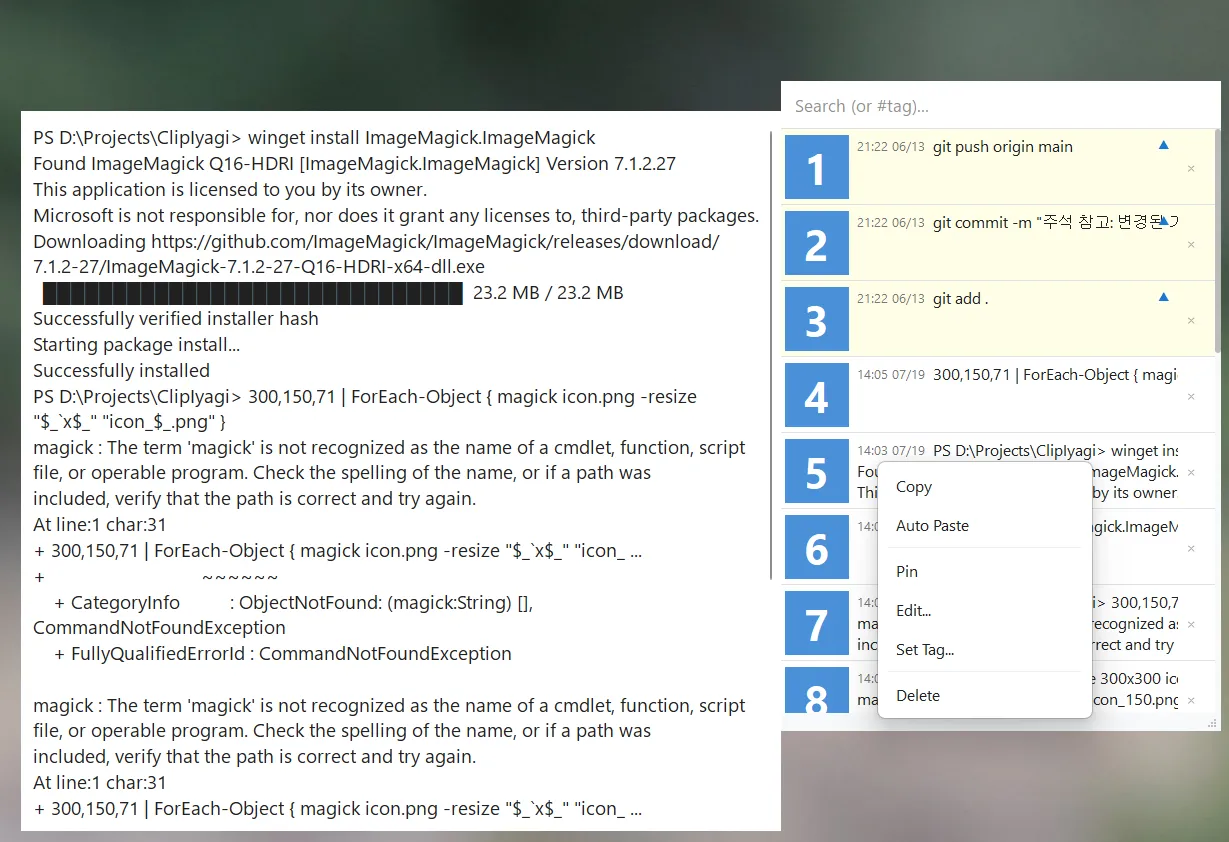
Bring back text or images with one shortcut and paste straight into the app you were using.
Key features
Automatic history
Text and images saved for you
One shortcut
Ctrl+Shift+V, then 1–9 to paste
Auto-paste
Into the window you were just using
Pins and tags
Keep favorites on top, filter by #tag
Wayland ready
GNOME and KDE Plasma, nothing extra to install
Even the link you copied an hour ago.
Pin it, tag it, edit it in place, then paste.
Real screenshots
ClipIyagi · Download
Get the file for your system from the official channel.
Packages: .deb (Ubuntu, Debian), .rpm (Fedora), .pkg.tar.zst (Arch), AppImage and zip. The download page explains which one fits your system. All installers