
FILEIYAGI / WINDOWS + LINUX
Find, open,move and editfiles in one place.
No more juggling windows — keep your whole file workflow in a single window.
Key features
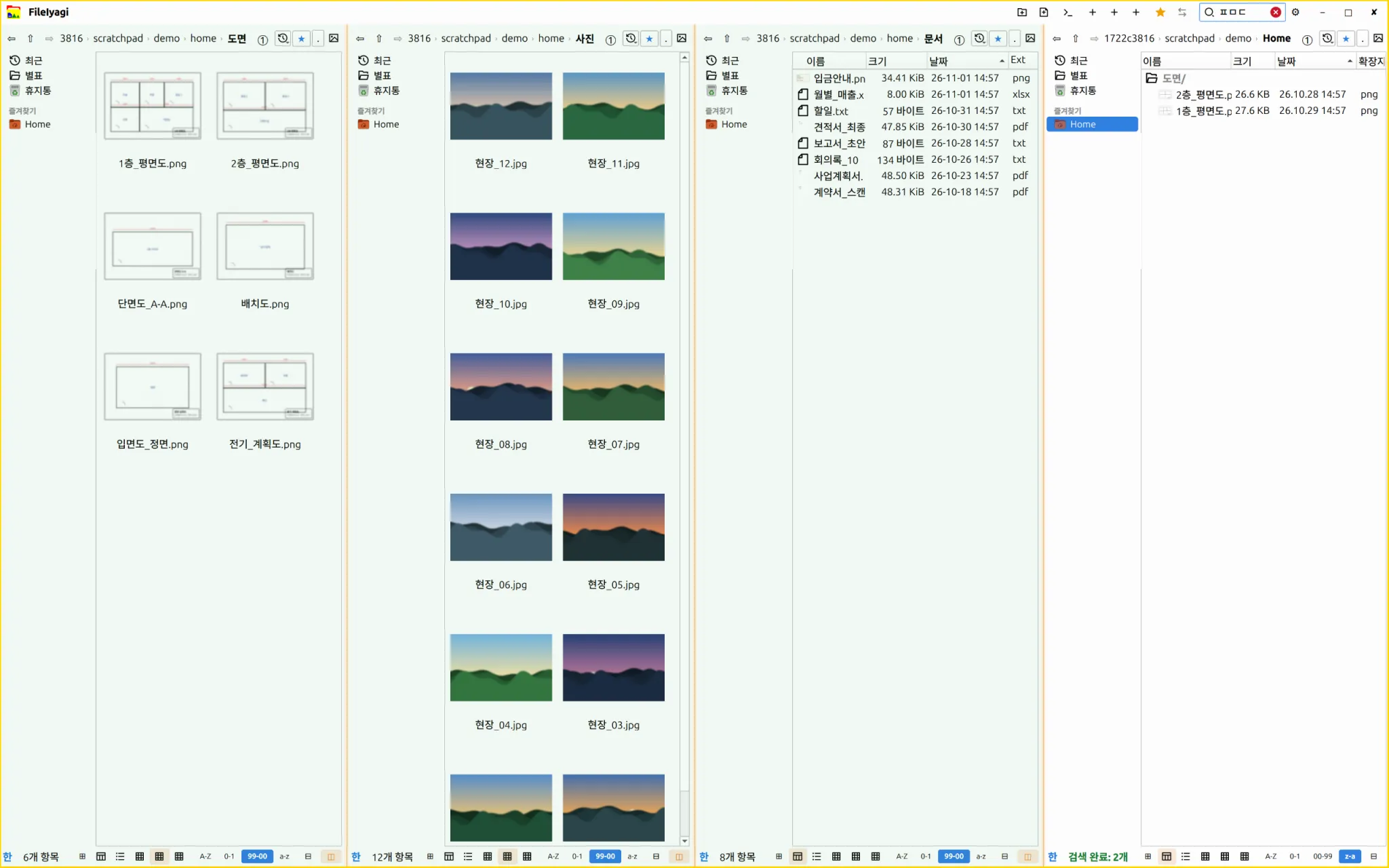
Four panes
Several folders on one screen
Hangul-initial search
ㅍㅁㄷ → 평면도
Remote connections
SFTP · SMB · FTP · WebDAV
Open and edit
Images · PDF · text · XLSX
Safe operations
Previews · 20-step undo
A workspace for people who handle a lot of files.
Remote folders, multiple panes, previews and editing in one program.
Real screenshots
Four panes and Hangul-initial search Image editing — covered areas are really discarded, not just hidden XLSX editing Sync and backup preview before running
FileIyagi · Download
Get the file for your system from the official channel.
Packages: .deb (Ubuntu, Debian), .rpm (Fedora), .pkg.tar.zst (Arch), AppImage and zip. The download page explains which one fits your system. All installers